
iOS Setup – Quick & Simple
Follow these easy steps to set up XTV Player on your iPhone. Download the app, enter your details, log in, and start streaming instantly with smooth cloud performance.
Step - 1
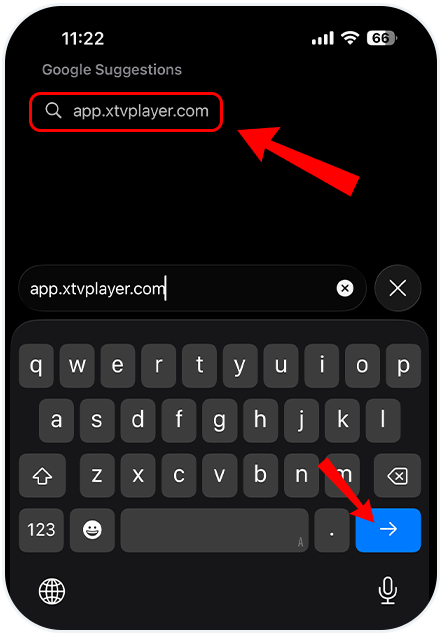
Open browser and visit: https://app.xtvplayer.com/
Step - 2
Choose your preferred language.

Step - 3
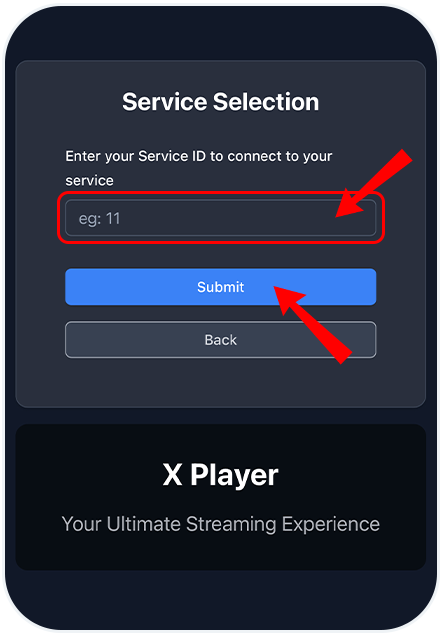
Enter the Service ID provided by your Real TV seller, tap Submit.
Step - 4
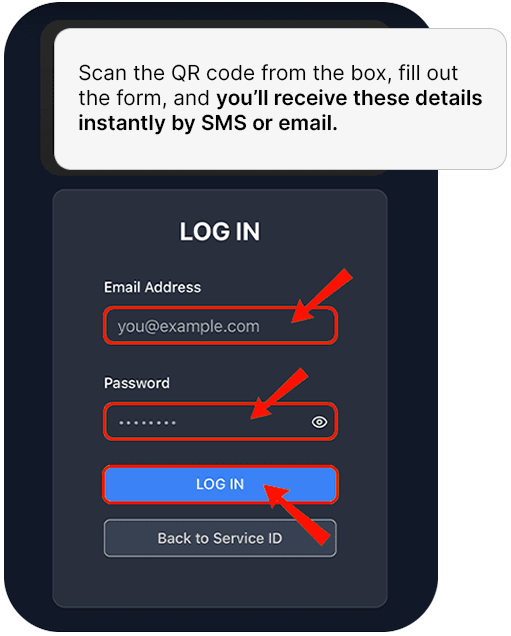
Enter your username and password to sign in (Scan the QR code from the box, fill out the form, and you’ll receive these details instantly by SMS or email).
Step - 5
Select an existing profile or add a new one to begin watching with your personalised preferences.

Step - 6
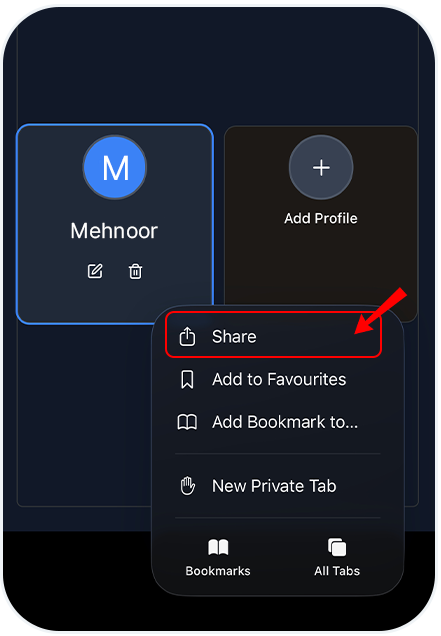
From the bottom right, tap the three dots and select Share to add the app to your home screen.
Step - 7
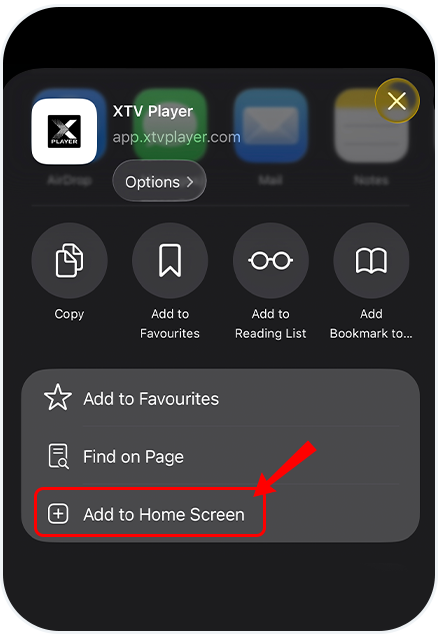
From the list, select and click on Add to Home Screen.
Step - 8
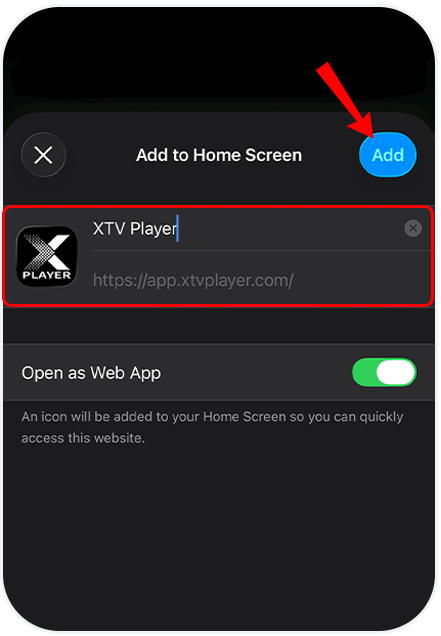
In the next step, click on Add.
You’re all set!
Sit back, relax, and enjoy a seamless entertainment experience like never before. With the XTV Player home screen, you can instantly access Live TV, Latest Movies, Popular Web Series, and much more — all in crystal-clear HD quality.